
I don’t know how to change the background wallpaper on the early “hackable” Sony PSP firmware, so I can’t help you with that, but the latest versions of the firmware add lots of good functionality, including the ability to change your background as desired.
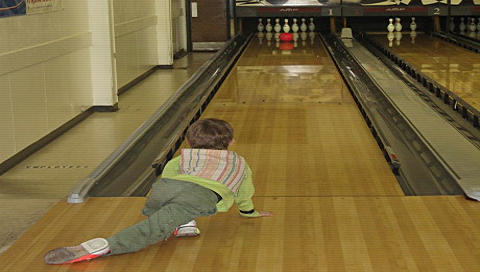
You can set basically any image as your PSP background wallpaper, actually, though ideally it should be 480×272 pixels. Knowing that, you can easily grab any photograph you like and scale it to that specific size. For example, I took this fun picture of my son bowling and resized it:
The next step is obviously to transfer the photo to the Sony PSP, a process which I detail in these two articles:
• Copy photos onto your Sony PSP with Windows
• Copy photos onto your Sony PSP with Mac OS X
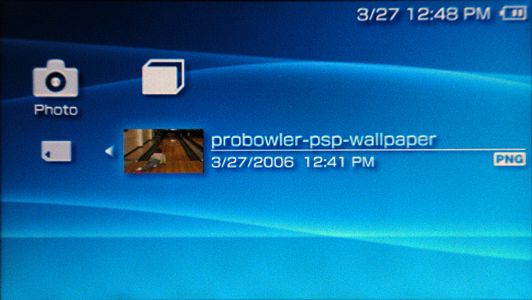
Once you have the photo copied onto your PSP, jump onto the PSP and find the image with the photo browser (remember that you have to “click into” the Memory Stick folder by pressing the “X” button too). Find the image you want to use:
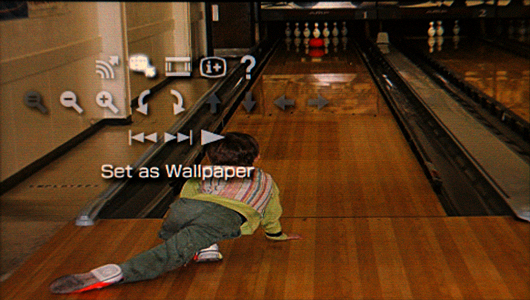
Now, click on the “X” button again to have it displayed on the screen, then press the upwards triangle button. Now use the left and right arrows to find “Set as Wallpaper”:
Now press the “X” button again to make that choice, and the PSP will warn you that you will lose the current wallpaper image (which you probably haven’t set) if you proceed. That’s okay:
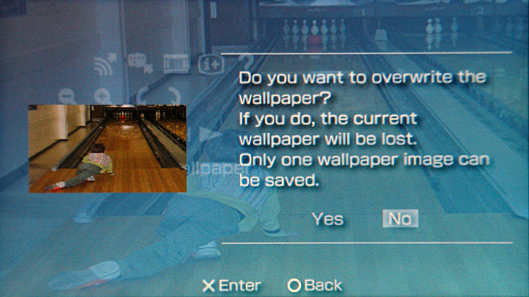
Use the left arrow button to highlight “Yes”, then press the “X” button again to agree that you’re okay with the previous wallpaper image being overwritten by the new one.
Hopefully, a second or two will pass and you’ll see:
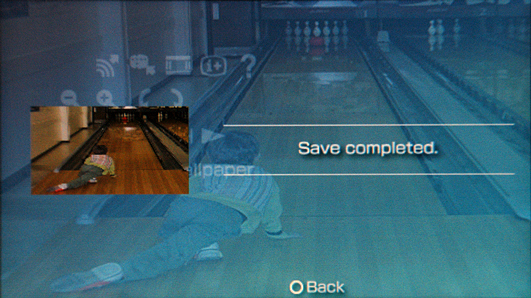
That’s basically all there is to it. When you navigate around on the PSP, you’ll notice your new background graphic trying to peek through:
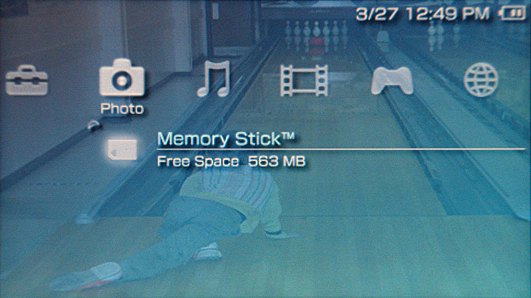
Disabling PSP Wallpaper
Now, before we leave this, let me also show you how to turn off a wallpaper so that you’ll be back to normal if you tired of a picture of my son bowling or just about anything else.
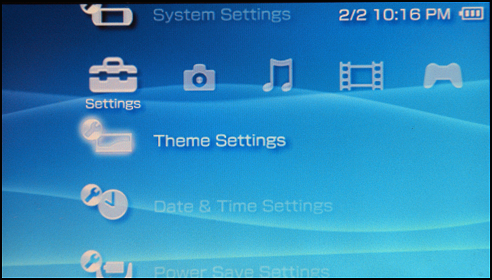
First off, navigate to Theme Settings and select it with the “X” button, as usual:
This will then give you two options, “Theme” and “Wallpaper”:
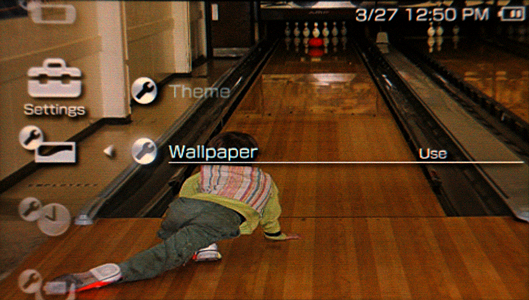
Press the “X” button and you’ll suddenly have two choices, of whether to “Use” or “Do Not Use” the wallpaper:
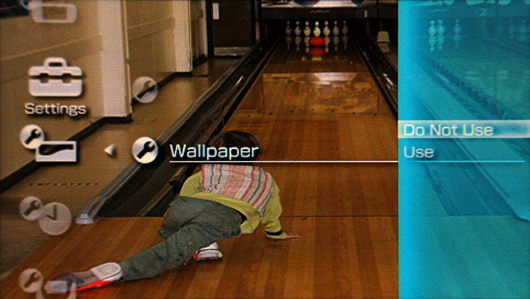
Move the up arrow to select “Do Not Use”, press “X” to confirm, and you’re back to the groovy blue, green, orange, or whatever color generic PSP background.
Hope that helps explain things!


18 thoughts on “How do I change the background wallpaper on my Sony PSP?”
i hav a psp 2000 version (not slim) can u do the same on it as far as setting walpaper?
how do you make custom themes for your psp
thanks man
ok thank yo for the info
i have a psp fat ver 2.81 that wont let me upgrade beyond that. it pops up a system configuration does not appear to be correct (DRNFFFFFFD7) what do you know that can help me with this problem? thanks~
I hope u’ll not mind leting me blog your article with your credits on my site http://www.shockpill.com
Thanks a lot for this help
Its easy download a photo to the psp and there is a putten you press and it will put it on the psp
this was no help
I want to know, how to save a theme to psp, because My psp don’t have A theme, Please help me, from first step to finished, or I can see theme in my Psp…. please help me, send me back ON email= feisal_mangkudisastra@yahoo.com
awesome :] thanks a mill.
my psp is v 1.50 and it doesnt come up with theme settings or the backround thing when im viewing photos. wos up with that??
how do u change your background
you have to select prictures then go on the picture you want and then click use as wallpaper
how do u change the psp theme not wallpaper but the theme like the music tool changes or something like that
Thanx alot man……..uve been very helpful!!!!
nicely made man!
my psp is v 1.50 and it doesnt come up with theme settings or the backround thing when im viewing photos. wos up with that??
nice little guide for new people w/ psp.. straight to the point with good screens..
Nice Job