
I know there are a zillion smartphone / cellphone applications that find food near you, but what if I only have a laptop and need to find something nearby? For example, what’s the best way to find the closest pizza if I don’t know my current address?
What, are you hungry? 🙂
There’s something that very few people realize about modern computer networks: they offer sufficient information (particularly when you include the wireless networks in your proximity) for mapping systems to do a startlingly good job of identifying your current location, even if you’re on a desktop computer or laptop without any sort of GPS hardware.
Using that as a starting point, it’s actually pretty easy to answer the question “where’s the closest pizza parlor?”
Let’s have a look on Google Maps to see what I’m talking about…
Open up a browser page to Google Maps and you’ll see a map of your home address or perhaps your most recent search. On that same map will be a bunch of navigational controls:
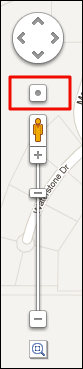
You’ve probably only really looked at the “+” and “-” buttons and the slider to zoom, but what we’re going to focus on is the modest little circle above the “+” button, as highlighted.
Click on it.
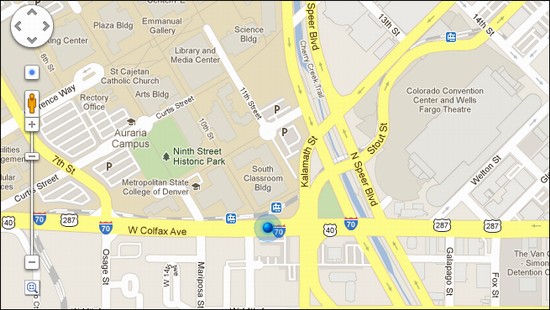
Now it’s possible you’ll actually be warned by your browser that it’s about to share location-identifying information. Usually you only have to say “yes” to that once every few days or so, and I’ve already done it, which is why I didn’t see a warning. Instead, it absolutely nailed my location at a Starbucks across the street from Denver University. Without a GPS. Pretty amazing, actually.
Now that you know where you are, simply type “pizza” into the Google Maps search box:

and…
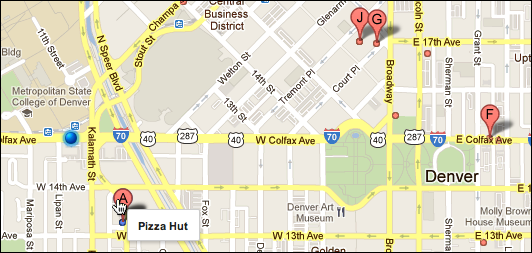
Not only does it show you all the matching places near your current location, but – as you can see above – if you put the cursor over a pin, it’ll tell you the name of the place. Like Pizza Hut? Click on the marker and it’ll tell you more about the place, including reviews:
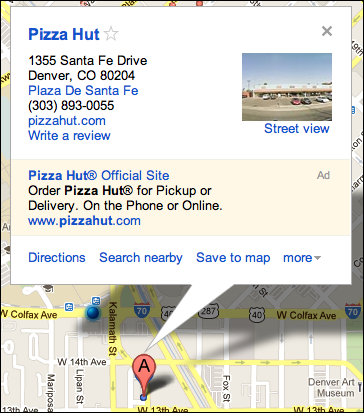
Look on the left side and you’ll also see a list of matching locations with the corresponding letter pins too. Easy.
Now, the search for “good New York style pizza”, that’s different…
In any case, enjoy your slice!
That’s an interesting question, Cindie. I wonder if some browsers just don’t support that functionality? Try using a different one with Google Maps and see what happens?
I was going to try this but when I go to google maps, I do not have the dot above the + . Am I in the wrong place?
It’s almost kind of creepy how good Google is at pinpointing your location.
As you mentioned, I think it is mostly based on nearby wifi networks. It can pinpoint my home within a few hundred feet when using my wifi-equipped laptop. With my desktop (same IP address but no wifi capability) it can’t even narrow my location down to an exact city.
I think those sneaky Google people are sniffing for networks at the same time that they are taking “street-view” pictures!