

I share my PC with my mom and I don’t know what she does but we get a lot of notifications from different websites. They all have the Microsoft Edge icon in the notification window, so are they from Edge? In any case, how can I disable them?
I share my PC with my mom and I don’t know what she does but we get a lot of notifications from different websites. They all have the Microsoft Edge icon in the notification window, so are they from Edge? In any case, how can I disable them?

Ever gone to a website just to have it complain that it can’t display the page because you aren’t a subscriber? Or, even more commonly, to have it refuse to show you the content because you have an “ad blocker” running? In both cases there are ways to try to get around the problem. Let’s look at some of the basics…

I’m an avid Craigslist and Facebook Marketplace bargain hunter and would like to use Copilot in Edge to analyze listings. Is that possible? Mostly I’m interested in collections rather than individual items.

I work as a temp receptionist and so am constantly using different computers. A lot of time it’s boring so I like to play games and puzzles. I can’t use my phone, so I’m wondering, can I play puzzles like word search in a web browser instead?
Dave, I know you’re a fan of AI, but I hate it. I would like to remove it entirely from my Windows PC. Is that possible? Running Windows 11 on a relatively new Dell laptop.
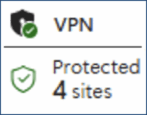
One of the great enhancements of the Web over the last few years is the migration to full-time SSL secure connections. Just about every site you visit nowadays – including AskDaveTaylor – utilizes a secure connection for your privacy. But if that’s not enough, you can also tap into the even more secure Virtual Private Network built into Microsoft Edge…

I’m all about shortcuts and convenience, and love lots about Windows 11. I can drop Website favorites onto my Desktop, but is there a way to add a few to the Taskbar itself? That’d be really helpful!

I have to analyze a lot of Web pages as part of my job and am wondering if there’s any way to have that feature within my browser? I’m on a reasonably new iMac, but it’s not the latest generation M-series chip. What are my options?
It’s not news that AI is hot nowadays, but integrating it into our daily tools in a way that’s actually useful is still a work in progress. Are they listening for a key phrase to be utterred, or a floating button waiting to be clicked? With the release of Copilot Vision, Microsoft offers a different way for its smarter GenAI system Copilot to be tightly integrated into Microsoft Edge, and therefore your daily Web browsing adventures. Here’s how it works…
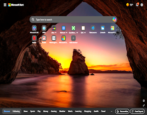
I’ve been assuming that Microsoft Edge just had a generic grey background for all newly opened tab windows, but a friend has a pretty wild sportscar image. How’d they do that? How can I customize the wallpaper or background image on blank windows in Microsoft Edge?