
I’m an avid Craigslist and Facebook Marketplace bargain hunter and would like to use Copilot in Edge to analyze listings. Is that possible? Mostly I’m interested in collections rather than individual items.
Imagine when items for sale were relegated to garage sales – advertised with fliers taped to lamp posts – or stilted classified listings in the newspaper that were barely comprehensible. Paying by the word definitely encouraged brevity! As newspapers came online, they sought to duplicate classified listings online too, with the same exorbitant pricing. Then Craig Newmark came along with Craigslist, Amazon had auctions, and Pierre Omidyar launched eBay (originally “AuctionWeb”). Suddenly, used goods could be hawked to a global audience.
In the modern era, eBay and Craigslist have become two of the biggest players, along with Facebook Marketplace and, to a lesser extent, Nextdoor. Specialty sites include Poshmark, Mercari, Depop, and OfferUp. They all favor clean, clear images, but require a time investment on the part of the seller and therefore often end up with poorly enumerated listings. This is 10x a problem with collections, where sellers don’t even list what they have, just share photos of a jumble of books, DVDs, comic books, magazines, even children’s toys.
Fortunately, AI is ready to save the day. Well, mostly. Let’s have a look…
SCENARIO ONE: DVD COLLECTION ON CRAIGSLIST
To start out, I’m going to fire up the latest version of Microsoft Edge with Copilot on Windows 11. Perusing Craigslist, I encountered this DVD collection listing:
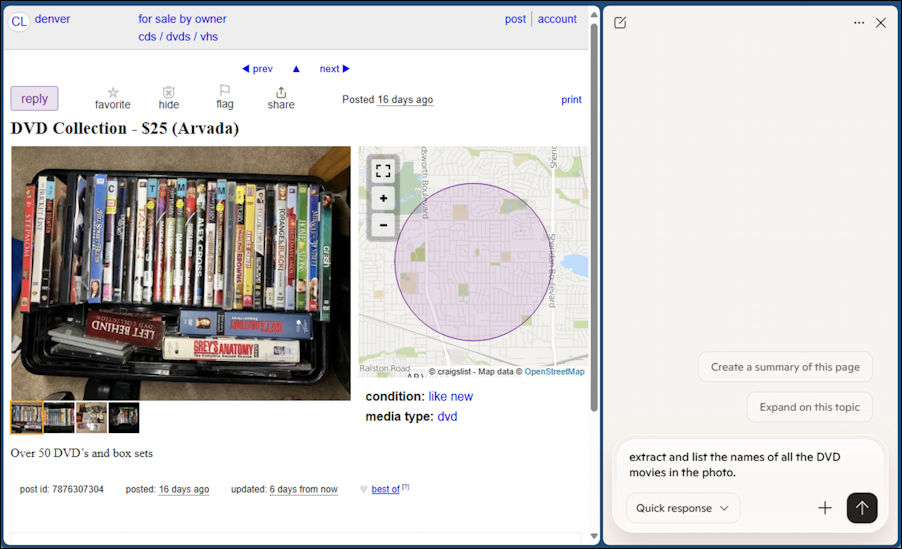
On the right side, I’ve popped open the Copilot helper window and typed in “extract and list the names of all the DVD movies in the photo”.
It doesn’t work. In fact, while it appears that Copilot can “see” the web page I’m viewing, it’s actually limited in its analysis to the text on a page. There are various geeky technical reasons for that, but I expect that at some point in the future, it’ll be able to analyze images on pages.
For now, the solution is to download the image, then upload it directly into Copilot…
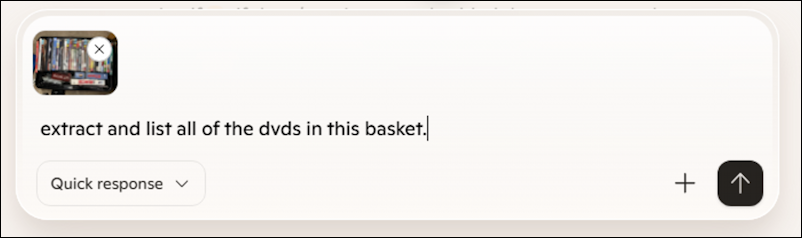
This is the way, as Star Wars fans would say; Copilot has a remarkable amount of image analysis smarts but you have to explicitly upload the images for it to show its prowess. This time, the result is more pleasing:

Here’s where it gets truly excellent: It can not only extract item information from images, it can analyze the results in ways that are more helpful. For example, rather than just list the movies and TV series, why not ask it to tell me the real gems in this basket?
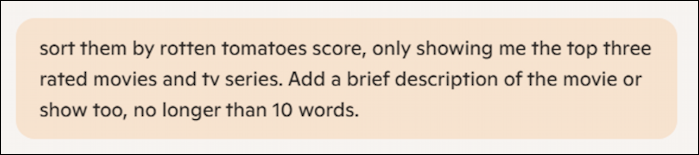
Notice I don’t need to say “the image I uploaded earlier” or even upload the image again. Unlike Google searches, Copilot keeps track of context and has a history it references. The results are splendid:
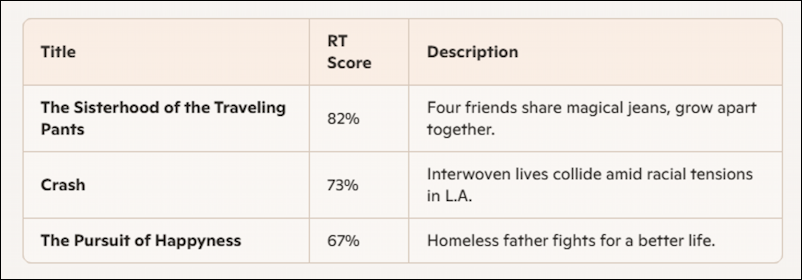
and, for TV series:
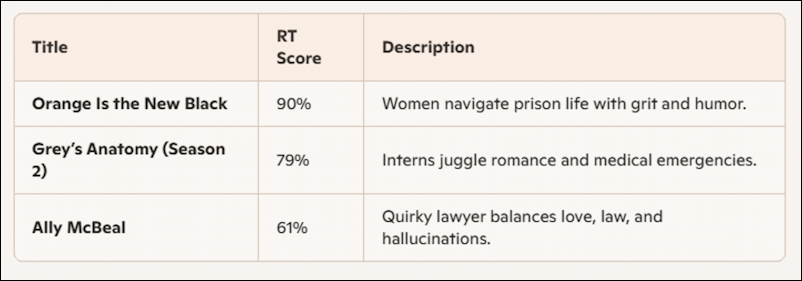
This is so much more helpful than peering at the photo and trying to remember whether any of the titles are worth a watch or rewatch.
But you can do more. Quite a bit more…
SCENARIO TWO: PILES OF BOARD GAMES
On Facebook, I saw a fellow boardgame enthusiast posted a photo of some games he’d just acquired:
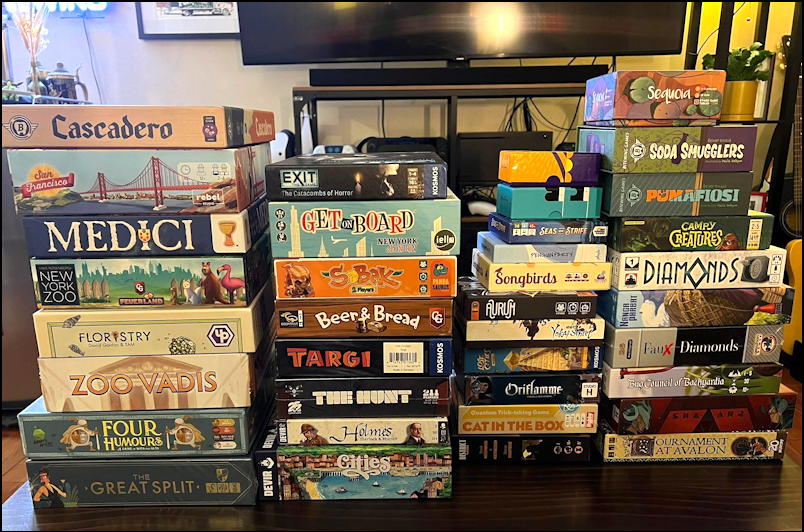
Definitely piqued my interest. Could Copilot extract names and analyze these? Here’s how it went:
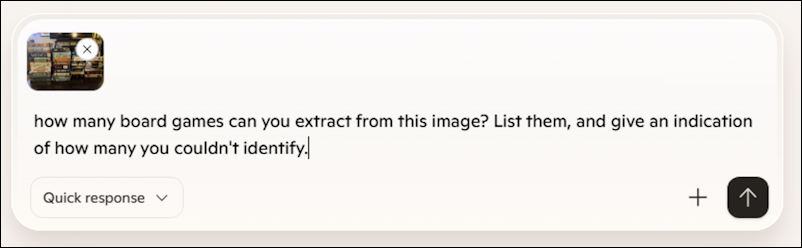
This is a more subtle query because I’m asking it to assess its own performance. Copilot can handle it.

It indicated that there were five games it couldn’t identify. My manual count suggests that there are 35 board game boxes in the original photo, so it’s not perfect, but it’s a great starting point nonetheless. At least two have no wording on the edge, making them darn difficult to identify.
Let’s do some basic analysis of the 27 board games it did identify from the photo…

Notice how I am using other Websites as reference points, both BoardGameGeek for ranking of the games and Amazon for pricing. The result:

I’ve never heard of Targi, but knowing it has the highest rating on BGG and that it’s only $24.99, that definitely piques my interest. It’s also easy to say “do the same analysis, this time include number of players and a clickable link to the game on Amazon” to make it even more helpful.
Now let’s go even further afield (if you’ll pardon the pun).
SCENARIO THREE: FANTASY FOOTBALL PICKS
This marks my third year of participating in a family and friends fantasy football league. True confession: I follow English Premier League Soccer (Football) but not much American NFL football. To keep up with the hardcore fanatics, I often explore options and selections with Copilot. To do that, I generally take a tight screenshot of a part of my team or the available players or teams available for trades (known in FF as the “waiver wire” or “waiver list”).
This week, I’m considering whether there’s a better team defense than my current pick, the Dallas Cowboys. Here’s what I captured from the ESPN Fantasy Football waiver wire listing for defense:
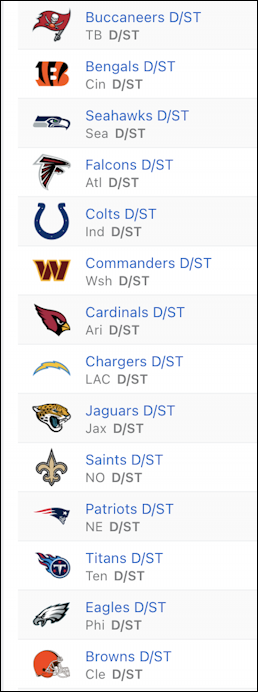
That’s a lot of options! Then again, the NFL has 32 teams and we only have ten in our league, so at any given time, there are twice as many defensive options as those chosen by players. But which is a better choice than Dallas for the upcoming week and matchups?
Again, I’ll use the “+” in Copilot to upload the image and ask it for help:
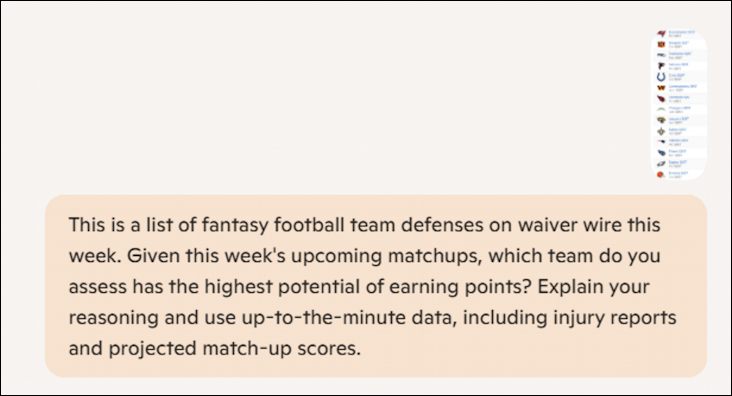
Notice that this query is more complex to ensure that I get the best possible analysis. Copilot understands fantasy football jargon (like “waiver wire”) and can easily process the list. I also specify “Explain your reasoning” and prompt to ensure that it’s using current data, not historical.
Can Copilot manage? Yes, it surely can:
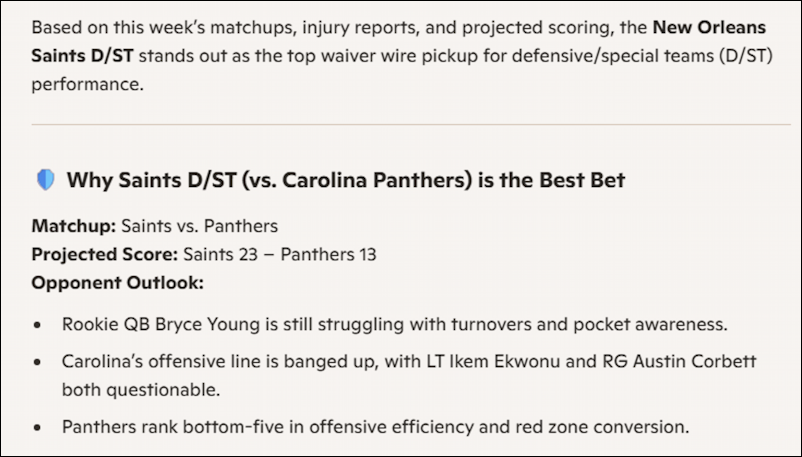
There’s more to the analysis – it’s quite interesting! – but the gist of it is a conclusion based not just on the strengths or weaknesses of the team’s defensive lineup, but the upcoming matchup too. I could glean this information by reading various analysts and sports commentators, of course, but why not let Copilot assist?
If I really didn’t like the New Orleans Saints, it offers a few other choices, with commentary:
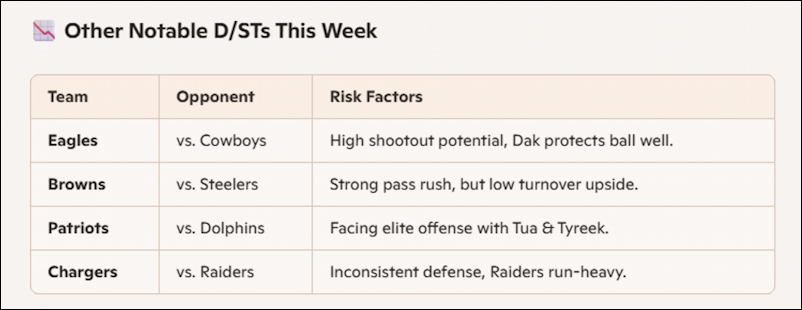
What I haven’t indicated is my current team, but since Copilot has memory, it’s already aware of that. Still, to be sure, I use this prompt for one last query:

To put this in context, the Dallas Cowboys lost me points last week, delivering -4.0 points rather than the projected 6.7 points. Not encouraging for them to stick around as my defense for this week. Here’s what Copilot says:
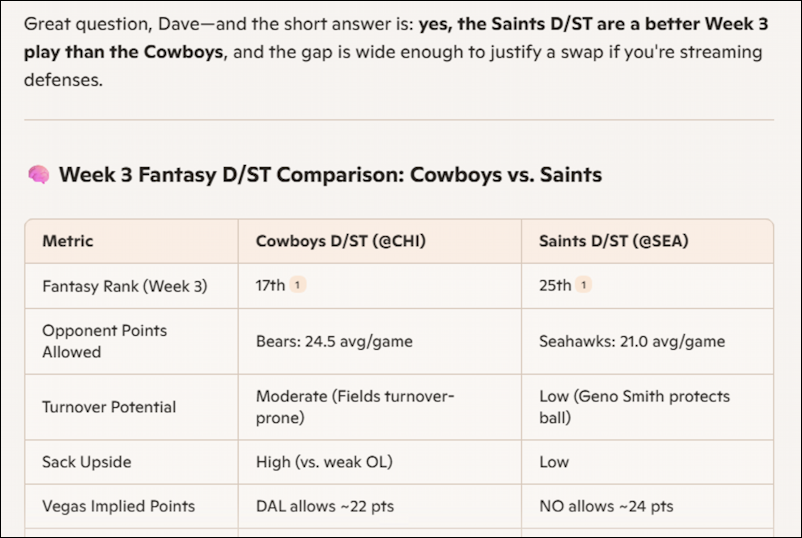
Very helpful, right?
Now, to be fair, it’s possible that all of these analyses have errors, missed items from images, and even misidentified data, so it’s always smart to carefully assess the results shown. If you can live with a non-zero margin of error, it’s remarkable what Copilot can offer while you’re perusing online listings. Try it for yourself, and let me know how it goes!
Pro Tip: I’ve been writing about online shopping for quite a while and have been an active online seller – and shopper – for many years too. Please check out my extensive Online Shopping Help Library area while you’re here! Thanks.