
My buddy gave me a thumb drive full of music he’s recorded at a local café and I’m really psyched to add it to my iPod, but it’s all in a format that iTunes can’t seem to understand called “FLAC”. What’s FLAC and how do I convert it to MP3 format so I can enjoy it?
Ah yes, the exciting world of audio codecs. A codec is a “compressor/decompressor” and it’s a software program that can successfully take a large amount of audio data and restructure it so that the resultant audio file is smaller. Think “Zip Archive” but for music. The problem is, compression is often at the price of fidelity and a lot of audio compression algorithms drop data or otherwise produce sound that doesn’t quite have the dynamic range of the original.
As a result, audiophiles have come up with some interesting codecs that ensure none of the original audio information is lost as the file is coded for later listening, and chief among those is FLAC, which stands for “Free Lossless Audio Codec”. Problem is, FLAC isn’t supported by all the audio programs on the PC, as you know from trying to get Apple iTunes to work with it.
Fortunately, there are some pretty slick apps out there to convert audio files from one format to another, and one of my favorites is an Australian program called Switch, from NCH Software. If you don’t have a lot of files to convert, you can even download the demo and use that for this simple conversion task.
First step is to download Switch Audio Converter. Now install and launch it and you’ll see a window similar to this:
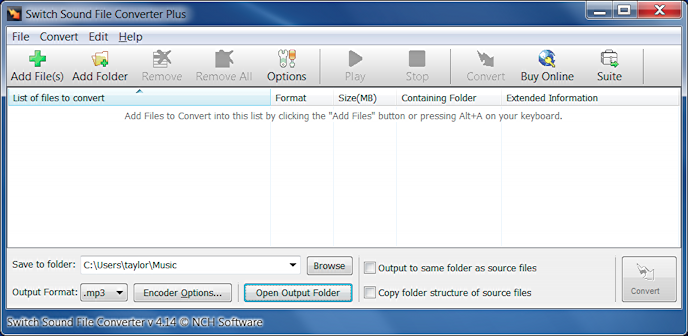
Click on the big green “+” symbol on the top left of the window, then find the “.flac” audio file you want to convert to mp3 format using the standard Microsoft Windows 7 (or similar) window:
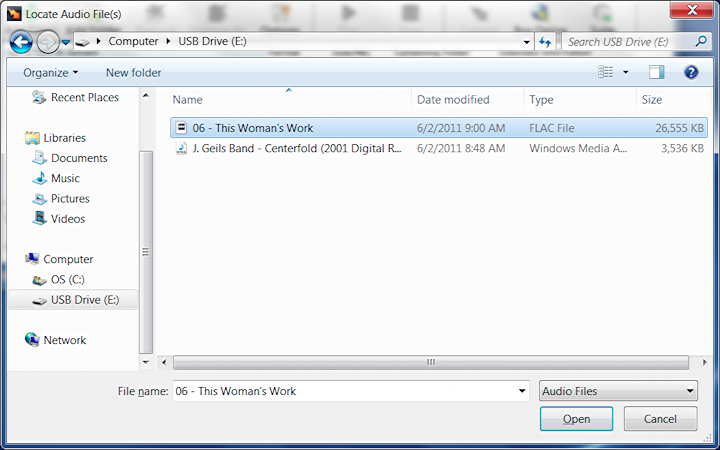
In this case I’m going to demonstrate by converting the FLAC format song This Woman’s Work from Kate Bush.
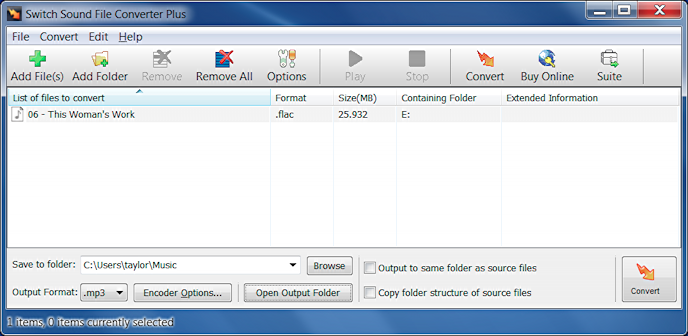
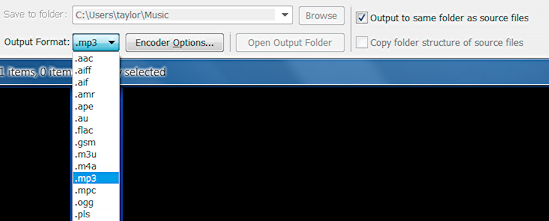
Now there are two critical steps to take before you actually do the conversion: first, you need to pick what output audio file format you want. As you can see below, there are quite a few choices! Then you need to also figure out where you want the resultant files to be placed. I prefer checking the box adjacent to “Output to same folder as source file” so that the new mp3 format files show up in the same folder as the flac files:
Get those settings to match what you need, then click on the “Convert” button on the lower right…
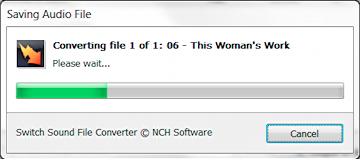
It takes anywhere from a few seconds to a minute or longer per track for the conversion, but when it’s done you can go into the original music folder and you’ll find that there’s an MP3 version of each and every FLAC audio file:
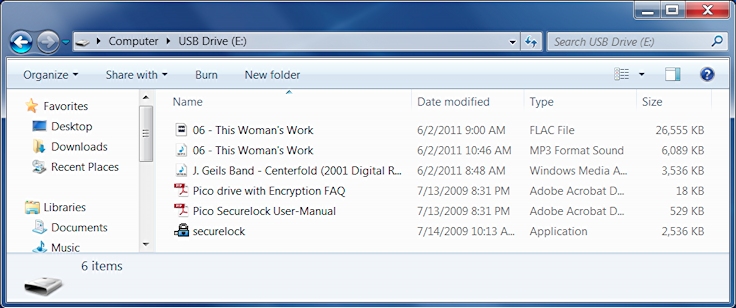
Notice here that the 25Kb FLAC file has been compressed down to a 6Kb MP3 file too. As expected, the MP3 file isn’t quite as nice sounding, but unless you have top gear or a trained ear, I predict you’ll not be able to hear any meaningful difference and for music recorded live I’m sure it’ll be just fine.
Now, two notes. First, if you’re going to use Switch then you really should pay for a license. It’s not at all expensive and it’s one of those utilities that I find generally useful to have on my computer. Second, be careful with those live recordings: if your buddy didn’t get permission from the artists to record and distribute the songs, he might be in violation of their copyright and could get into some trouble. Certainly I think it’d be inappropriate to upload the songs anywhere without prior permission from the musicians.
Thanks for the descriptive explanation. One small correction, though. The file sizes you state are a bit too small:
“…the 25Kb FLAC file has been compressed down to a 6Kb MP3 file…”
should instead say:
“…the 25Mb FLAC file has been compressed down to a 6Mb MP3 file…”
I really do like the thought of having a 25Kb FLAC file!
Thanks! This was the answer I needed!
Thank you for useful article!
If you want a lightweight, easy to use, powerful portable audio converter that will do most popular formats and rip CD’s I recommend this:
http://www.digitaction.com/index.php/products/digital-audio-converter-mp3-wav-music-converter-and-audio-ripper.html
I’ve been using it for years with no issues whatsoever.