
Get enough CDs and music tracks in your iTunes library and things start to go wonky. Duplicate songs show up, iTunes complains about missing files from playlists, and album covers mysteriously detach from tracks. Frustrating!
Fortunately, Tune Sweeper from Wide Angle Software analyzes your entire iTunes library and fixes anything that’s broken. And it’s crazy fast.
Rip a few music CDs, download a few from the iTunes Store and maybe even get a dozen from friends via email or a flash drive and without realizing it, you have dozens or hundreds of CDs stored on your Windows PC. If you have the disk space, it’s easy, and on our office file server, our master music collection is in the multiple gigabytes, thousands upon thousands of tracks spanning a wide variety of musical genres.
The problem is, once things get messed up, it’s a lot of work to fix it, whether it’s mistitled tracks (I hate typos in track names personally), missing album cover art, or even entries for tracks or CDs that somehow aren’t on the drive any more, or have moved for some mysterious reason. Fixing that for a half-dozen CDs? No problem. Fixing it for a few thousand CDs? Fuggetaboutit!
Which is why Tune Sweeper is such a win. For the modest license price of $24.99 — and a free version that you can start with to see if your library has any issues before you purchase — it’ll clean things up way faster than you could ever do so manually.
Launch the app and it’s pretty self-explanatory:
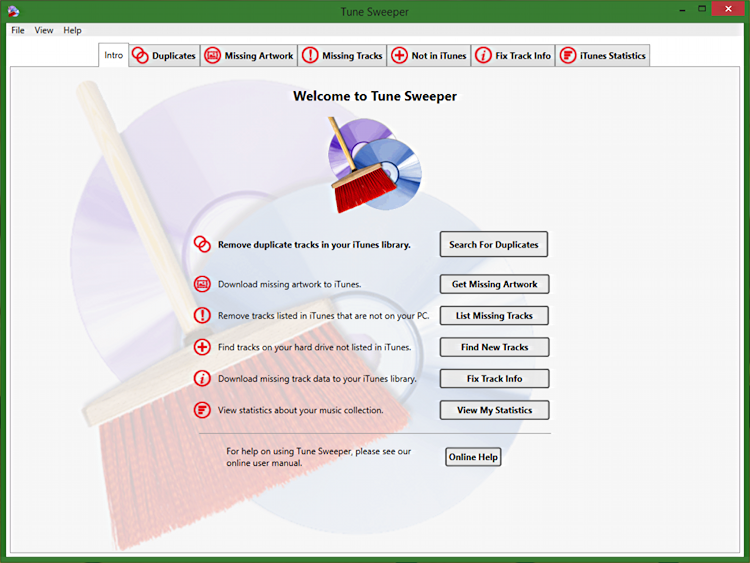
I’m a bit paranoid about duplicate tracks because my library is so darn large I don’t always remember what’s been ripped or purchased before I go to add tracks again.
And indeed, the new Julian Lennon CD Everything Changes appears to have been imported twice:
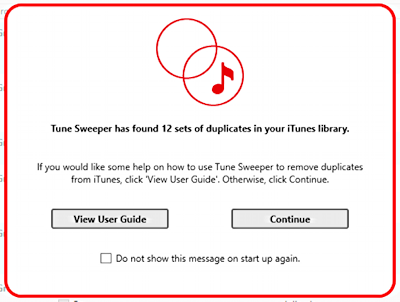
A click on “Continue” and all the details are revealed:
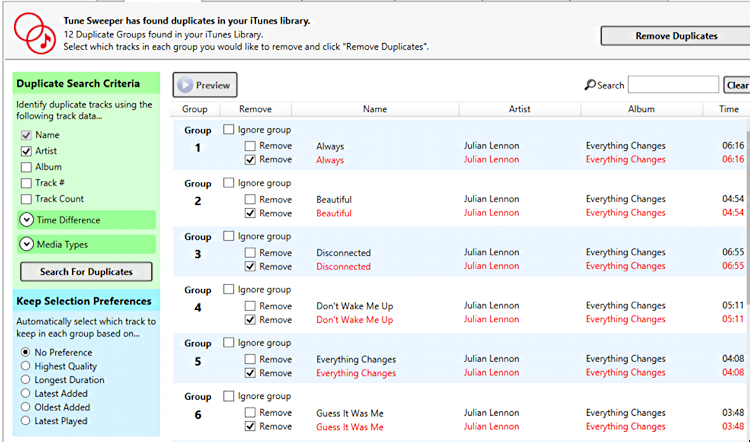
What I particularly appreciate about this view is that it makes all the preference settings that it uses to decide which to keep very obvious, as it also does with the criteria being applied to identify duplicate tracks.
Don’t care about dupes? If you’re perpetually on shuffle play, it really can be invisible, with the only difference being that they’re 2x as likely to play as a track that isn’t duplicated. With 70 tracks that’d be noticeable. With 7000 tracks, however, that’s lost in the noise. 🙂
If you do want a pristine collection, however, choose which dupe or dupes to remove, chose “Ignore group” if you want to keep some of the other duplicates, and click the “Remove Duplicates” button on the top right and you’ll need to decide what to do with the dupes:

Ready to proceed? Click “Yes, Remove Duplicates”…

Easy enough. Hopefully you don’t have too many duplicates, of course, but even though they aren’t a big deal from the shuffle play perspective, they do waste disk space since you already have a copy of that particular track.
Another useful feature for us completists in iTunes is track artwork. Sometimes, for reasons I can’t fathom, iTunes associates artwork with some tracks of a CD but not others. Tune Sweeper can fix things up, or confirm that you’re good and everything’s properly configured:

You can also do this particular function in iTunes itself, by the way. Indeed, some of the features in Tune Sweeper overlap features Apple’s already built into iTunes itself. Others, like de-duplicate processing, identifying tracks that are listed in the iTunes library but don’t exist on the drive and finding music tracks on the hard drive that aren’t yet in iTunes are unique to Tune Sweeper.
Next up, let’s see if there’s any missing information on the track files in my relatively modest iTunes library on my PC laptop:
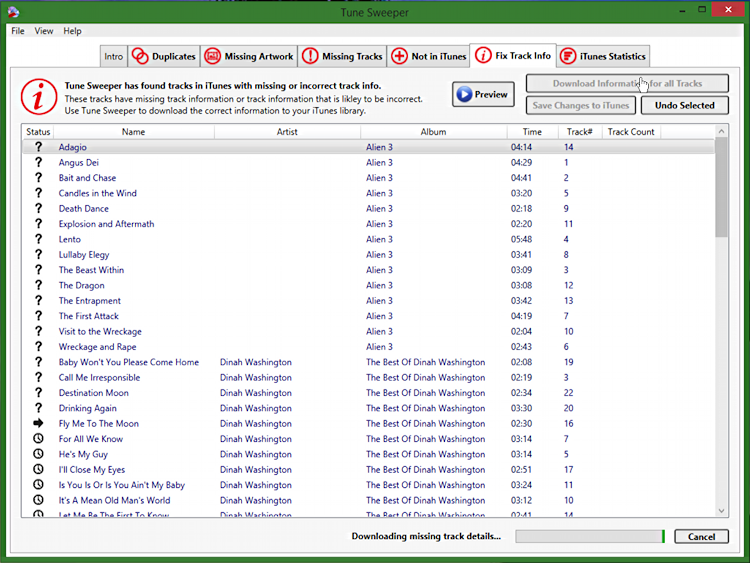
Ah heck, that’s a lot of missing information! You can see I’m busy fixing it in this screen capture, which is why the bottom says “Downloading missing track details…”
Unfortunately it doesn’t indicate what is missing, so it could be something like the release year of the CD, something that I actually don’t care that much about. Still, completeness is worthy for its own sake, right? 🙂
More seriously, here’s the kind of problem the program’s fixing:

Unknown Artist? AAhhhhhhh!
Tune Sweeper also has a neat stats and analysis view that gives you some insight into your music collection. For this one, I’m going to use one of the Tune Sweeper screen shots since it’s more interesting than my own PC iTunes library (because I mostly listen to iTunes on my Mac systems):
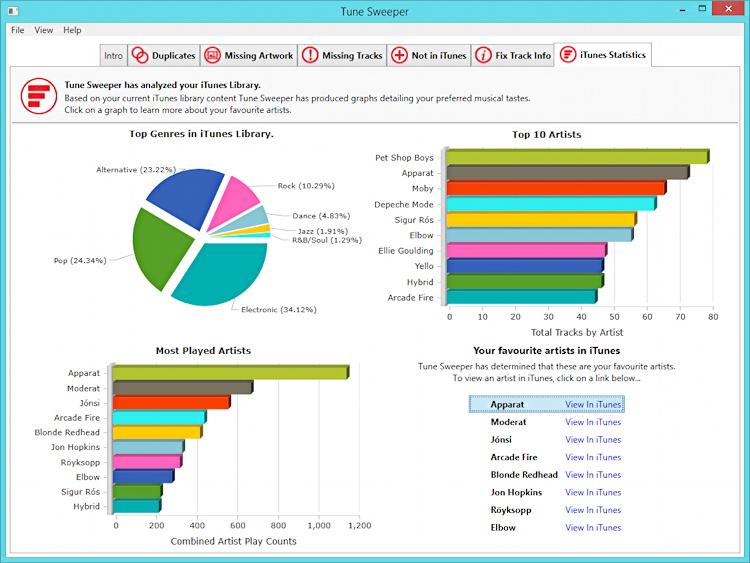
I think that’s pretty darn cool stuff, though quite honestly I don’t even know half the most played artists!
In summary, Tune Sweeper is the kind of utility you’ll run once every few months when you think of it. It’s not a show-stopper fixing critical problems on your system, but if you do have a decent size music collection in iTunes on your PC (and frankly iTunes for Windows is way better than Windows Media Player) odds are good that things have gotten messed up as its grown.
Tune Sweeper is a smart investment if you want to fix those problems, if you want your library pristine, all properly configured, with all the proper track titles, copyright information, album covers and with the minimum disk space taken up by removing dupes and links to non-existent music files. And if you’re a bit OCD about it, well, this is a fabulous addition to your PC’s library. 🙂
Tune Sweeper from Wide Angle Software. $24.99 for Windows (there’s a Mac version too, btw)
When I delete duplicates in Tunes Sweeper 4 on a mac I am left with several ignore zone responses where no duplicate deletion occurred. I uncheck the zone and select the particular file I want to delete. The program reports the delete is successful. However, if I quit Tunes and restart it and look for duplicates, the ignore zones are still there. Also when the program reports it deleted the file, nothing appears in the trash despite choosing that selection. What can I do?
That’s weird, Michael. I’d check with the company and see what they suggest. Wondering if it’s a permissions issue??
I have large library. Cleaned up artwork, dups, and unidentified in an hour. Saved me hours of time. I should have had at least 10 times as many duplicates as were found, but I am very pleased with the retrieval of artwork.